










Configurators
Interactive Machine Configurator for Manufacturers and Industry
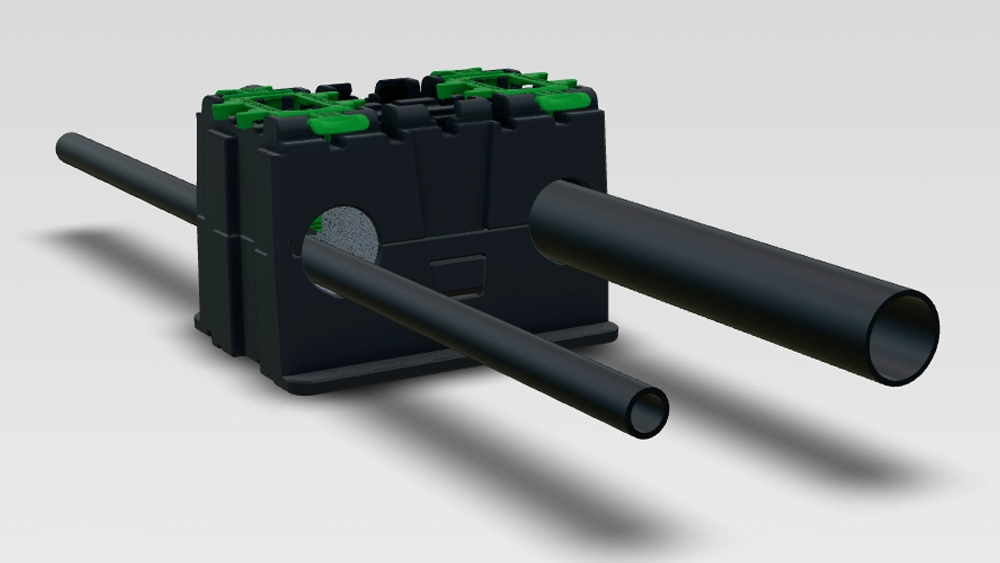
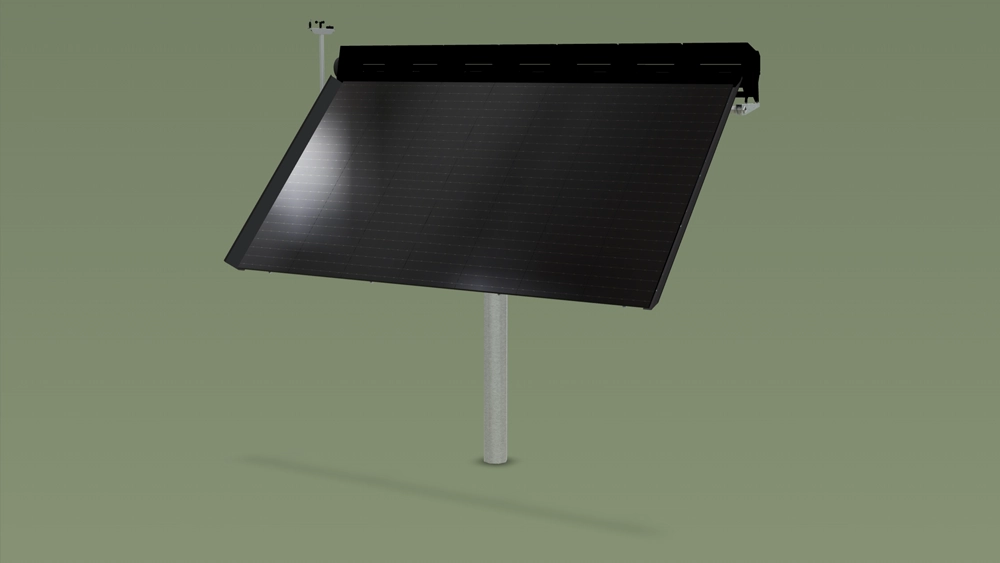
Vulp’s machine configurator is built for manufacturers of machinery and industrial equipment where a photo can’t show how the product actually works: moving parts, an internal assembly, or a process that only makes sense in motion. PVX Mounting Systems uses it as both a website demo and a trade show tool, and 24/7 Energie uses it to show how its solar and wind tracker works. The same principle is described on the machinery industry page.
Live demo
What the demo shows
Interaction, animation and information, on the model itself
Hotspot-triggered animation
Clickable hotspots trigger an animation that shows how a moving part works, or reveal information through text, image or video.

Exploded views
Show how components fit together with an animated exploded view, instead of a static cutaway drawing.

API-driven control
The same interface that drives the 3D viewer can also control a real physical model on your stand, through the Vulp API.
Augmented Reality

Prospects place the machine at true scale in their own space, straight from the demo.
Proven results
The numbers behind Vulp and 3D
Our own measurement of the viewer, alongside independent research into what 3D and AR do for online sales.
0.34 s
until the loading screen of the Vulp viewer is on screen, in half of all views, returning visitors included.
Own measurement, Umami
94%
higher conversion for products with 3D or AR content than for products without.
Shopify
74%
of consumers expect augmented reality to become more important in their lives.
Deloitte Digital
360°
rotatable product images produce stronger purchase intention than flat photos.
Journal of Retailing and Consumer Services
How it works
From file to working configurator
1
Supply a CAD file or technical drawing
Send an existing CAD export (STEP/STP/IGS), 3D model, or technical drawing; we tell you what's needed for your machine.
2
Set up hotspots and animations

In the Vulp dashboard, place hotspots on moving or technical parts and attach an animation, image, video or text to each.
3
One snippet on your website or trade show stand
Add the demo with a single code snippet on your website, or run it on a stand at a trade show.
4
Drive it from your own systems

Use the Vulp API to control the viewer, or a real physical model, from your own software.
Integration
The demo is added with a single generic embed snippet, the same method whether you run it on your website, in a webshop, or standalone at a trade show stand, with no platform-specific plugin to install or maintain. See how to integrate the configurator into your webshop for the snippet and API options.
Add it to your website or webshop
Pricing
Enterprise, price on request
Hotspot-triggered animation and exploded views are an Enterprise feature, billed annually. Enterprise also includes the JavaScript API, for driving the viewer or a real physical model from your own systems.

Frequently asked questions
What are hotspots and how do they work?
Hotspots are interactive points placed directly on the 3D product. Customers click a hotspot to reveal extra information, images or video about a specific feature or component, guiding them through the product's key selling points.
Learn more: Interactive Hotspots That Explain Your Product
Can hotspots trigger an animation?
Yes, hotspots can be linked to animations, so clicking one shows exactly how a moving component works, for example opening a lid or extending a part, giving customers a clear demonstration of the product's functionality.
Learn more: Exploded Views and Click-to-Play 3D Animations
What can I do with the Vulp API?
The Vulp JavaScript API lets you drive and read the 3D viewer from your own code, so you can build deep, custom integrations, for example syncing product configurations with your webshop, PIM system or even a physical demo model.
Learn more: API Access for Your 3D Product Catalogue
Can the interactive demo control a physical product?
Yes, in more complex applications the interactive Vulp interface can drive and control a real physical model or product, in addition to controlling the digital viewer, making it a powerful tool for trade shows and sales meetings.
Learn more: Interactive product demo
What files do I need to supply for the 3D model?
Whatever you already have: an existing 3D model (OBJ/FBX/GLB/glTF/Blender), a CAD export (STEP/STP/IGS), product photos, or a physical sample to scan. There are five routes to a model, and the cheapest is often just what you already have on hand.
Learn more: How to Get a 3D Model of Your Product: Five Routes
What does Vulp cost?
Animation hotspots and exploded views are part of the Enterprise plan, priced on request. The 3D model is a one-off cost.
Learn more: Pricing from €9.99/mo | 3D & AI Content
Does Vulp work alongside our CPQ or PIM system?
Yes. Vulp doesn't replace your CPQ or PIM, it connects to it: the JavaScript API (Enterprise plan) reads out the chosen configuration, so you can feed it into your existing CPQ or PIM for quoting and ordering.
Learn more: API Access for Your 3D Product Catalogue
Does the demo need an internet connection at a trade show?
Only once: the product is cached to the device the first time it loads, together with its 3D data and materials, so it keeps running without a connection for the rest of the show, and loads fast every time after that.
Learn more: Interactive product demo
Do you keep our CAD files confidential?
Yes. When we receive a CAD file, we clean it up first: non-visible elements and confidential details are removed, always in consultation with you.
Learn more: How to Get a 3D Model of Your Product: Five Routes