








3D Product Viewer
Interactive 3D Product Viewer for Websites and Webshops
The Vulp 3D product viewer lets customers explore your products in detail from every angle. Increase engagement, reduce returns, and improve conversion rates with interactive 3D visualization.
Live demo
Key features
Why Choose the Vulp 3D Viewer as Your 360 Product Viewer
360-degree view
Customers rotate and zoom the 360 product viewer from every angle, right in the browser.
Interactive hotspots
Highlight key features and technical details with clickable hotspots on the product.

Customize colors and materials
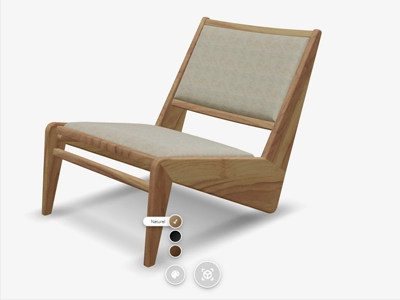
Let customers personalize colors and textures and see the result instantly on the 3D model.

Technical dimensions
Show accurate measurements directly on the product so customers can buy with confidence.

Augmented Reality

Customers place the product at true scale in their own space with a single tap, no app required.
Fast and mobile-friendly
Built for speed and mobile responsive by default. The same 3D viewer runs on web, Android and iOS, with no app.

Easy integration
Add the viewer to your website with one generated HTML snippet, or drive it with our JavaScript API.
Fewer returns, higher conversion
Realistic, detailed product views help customers buy with confidence, reducing returns and boosting conversion.


Look & Feel

360-Degree Product View for Your Product Pages
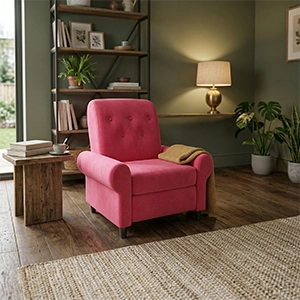
Vulp is a 360-degree viewer that enables customers to view products from every angle. This interactive viewer allows products to be fully rotated and inspected, creating a realistic and detailed visualization. This enhances the user experience and helps customers make better purchasing decisions.

White-Label 3D Viewer That Matches Your Brand
To give your product presentation a unique appearance, Vulp Studio offers a high degree of customization for our viewer. The background color, button colors and appearance, as well as the use of custom icons, can be adjusted to seamlessly match your brand identity. These customizations ensure that the user experience is not only functional but also visually appealing and recognizable for your customers. The Vulp 3D configurator is designed for everyone, even without web development knowledge - by tweaking a few parameters in the iframe, you can style menu buttons, background and icon colors to align with your corporate design. If you want a fully custom look, use our API to build your own interface.

Skydome Backgrounds for Realistic 3D Product Scenes New
With our online 3D configurator, you can easily add a skydome image to your 3D product view. This allows you to place and view your virtual product in a lifelike environment. By using a skydome background, you give customers a realistic sense of how the product looks in a real space. This creates a convincing visual presentation that enhances the experience and confidence in the virtual product.
Animation & interaction
Augmented Reality for Webshops, No App Required
Our advanced Augmented Reality feature enables customers to visualize products in their own environment. This innovative technology allows for realistic product placement and experience, creating an unparalleled interactive shopping experience. It not only enhances user engagement but helps customers make more informed purchase decisions by better understanding product dimensions and appearance.

Interactive Hotspots That Explain Your Product
In Vulp’s 3D configurator, there are multiple interactive possibilities within the virtual 3D environment of the product. Users can not only personalize the 3D product by changing colors and options, but they also have the opportunity to discover additional information or unique selling points through ‘information hotspots’.

Show Exact Product Dimensions Inside the 3D Viewer
In our 3D viewer, you can add a measurement layer to product visualizations, allowing customers to examine exact dimensions and details. These interactive layers enable you to present accurate information about product dimensions and characteristics, leading to a better understanding of the product. This not only enhances the user experience but also helps customers make better purchasing decisions through a clear and detailed display of product measurements.

Looping 3D Animations for Product Pages
At Vulp Studio, we offer the capability to integrate continuous animations into product visualizations, allowing customers to experience a seamless and fluid display of product movements. These animations can be set to repeat infinitely, creating a realistic and dynamic presentation of product functions and movements. This not only enhances the user experience but also helps customers better understand product operations and benefits.

Exploded Views and Click-to-Play 3D Animations New
3D animations make it possible to explain everything even better. We offer the ability to add animation hotspots to product visualizations. These interactive hotspots can be clicked to trigger animations, such as opening an object, showing an exploded view, or demonstrating how a device works. Through this visual and interactive presentation, customers can better understand and experience products, enhancing the user experience and facilitating better purchasing decisions.
Frequently asked questions
Can customers test colors in their own environment?
Yes, customers can test colors in their own environment. Thanks to the countless combination possibilities, customers can view everything in 360 degrees or place it in their own space via Augmented Reality. On Android devices, even further customization of color combinations is possible.
Learn more: Change Colours and Materials Per Component in 3D
How does using the Vulp viewer help reduce product returns?
The Vulp viewer allows users to intuitively combine and view endless color options, making well-informed decisions. By providing a realistic preview and the ability to test colors in their environment, customers are more satisfied with their purchase, which helps reduce product returns.
Learn more: Change Colours and Materials Per Component in 3D
How does the 360-degree viewer work?
The 360-degree viewer lets customers rotate a product a full turn to inspect it from every angle. They simply click and drag (or swipe on mobile) to spin the product, zoom in on details and get a realistic sense of its shape, size and finish, directly in the browser, with no app required.
Learn more: 360-Degree Product View for Your Product Pages
Do I need multiple product photos for the 360 view?
No. The 360 view is generated from a single interactive 3D model rather than a series of photos. That means smooth rotation from any angle, consistent lighting, and the ability to combine it with colors, materials and Augmented Reality, without organizing a photo shoot.
Learn more: 360-Degree Product View for Your Product Pages
Does the 360 viewer work on mobile devices?
Yes. The 360-degree viewer is fully responsive and works on smartphones and tablets as well as desktop. Customers can rotate and zoom with touch gestures, and on supported devices they can place the product in their own space with Augmented Reality.
Learn more: 360-Degree Product View for Your Product Pages
Can I adjust the lighting and environment of my 3D product?
Yes, you can change the lighting of your 3D product to set the right mood and highlight specific details, and combine it with realistic environment shadowing so the product looks natural in any setting.
Learn more: Realistic lighting and shadows in 3D
Can I show product dimensions directly on the 3D model?
Yes, you can add measurement layers that display precise dimensions on the product. Customers can explore these measurements interactively, helping them make well-informed decisions based on accurate size and specification details.
Learn more: Show Exact Product Dimensions Inside the 3D Viewer