









Configurators
Table Configurator Software for Manufacturers and Webshops
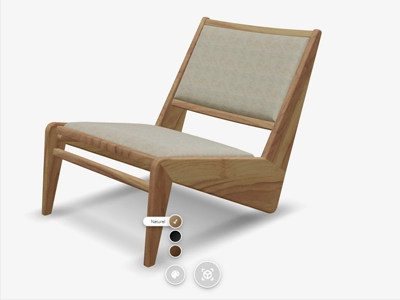
Vulp’s table configurator is built for furniture manufacturers, brands and webshops that sell tables with more option combinations than a product page of static photos can show: different shapes, edges, tabletop materials and base finishes. The same approach is also used for cabinets and seating with many variants, as described for the sidebar configurator.
Live demo
What customers can set
Every option your customers configure
Shape and size
Customers pick the tabletop shape and size that fits their space.
Tabletop colour and material
Every colour and material you offer is visible on the 3D model before ordering.

Edge finish
Different edge profiles are compared directly on the same 3D model.

Base and RAL colour
Customers match the base to a standard RAL colour or your own colour system.

Proven results
The numbers behind Vulp and 3D
Our own measurement of the viewer, alongside independent research into what 3D and AR do for online sales.
0.34 s
until the loading screen of the Vulp viewer is on screen, in half of all views, returning visitors included.
Own measurement, Umami
94%
higher conversion for products with 3D or AR content than for products without.
Shopify
74%
of consumers expect augmented reality to become more important in their lives.
Deloitte Digital
360°
rotatable product images produce stronger purchase intention than flat photos.
Journal of Retailing and Consumer Services
How it works
From file to working configurator
1
Supply a 3D model or a technical drawing
Send an existing 3D model, a CAD file, or product photos; we tell you what's needed for your table.
2
Set up shape, edge, colour and base

In the Vulp dashboard, group every table option so the sidebar or hotspots show them clearly.
3
One snippet in your website or webshop
Add the configurator with a single code snippet, the same method for Shopify, WooCommerce, Magento, Wix or a custom build.
4
Read the chosen configuration back (Enterprise plan)

Connect the customer's choice to your order process or PIM through the Vulp API.
Integration
The configurator is added with a single generic embed snippet, the same method whether your webshop runs on Shopify, WooCommerce, Magento, Wix or a fully custom build, with no platform-specific plugin to install or maintain. See how to integrate the configurator into your webshop for the snippet and API options.
Add it to your website or webshop
Pricing
From €29.99 per mo
A configurator is available from the Premium plan, billed annually. Enterprise adds the JavaScript API for connecting your own cart or PIM system.

Frequently asked questions
What ways can the sidebar display product options?
The sidebar configurator can display options as dropdown menus, buttons, sliders or images, whichever suits your product best, giving customers a clear overview of every choice in one place.
Learn more: 3D sidebar configurator
How many options can the sidebar configurator handle?
The sidebar configurator is built for products with many options. Choices are grouped into clear categories, such as shape, edge, colour and base, so even a large number of options stays manageable. For each group you choose how the options are displayed.
Learn more: Product and Component Variants in One 3D Configurator
Can I use RAL colours or my own colour system in the sidebar?
Yes. In addition to preset colours, Vulp supports standardised colour systems such as RAL, so you can apply exact, professional-grade colours to individual product parts. A proprietary colour system is possible as well.
Learn more: RAL and Brand Colour Systems in Your 3D Configurator
What files do I need to supply for the 3D model?
Whatever you already have: an existing 3D model (OBJ/FBX/GLB/glTF/Blender), a CAD export (STEP/STP/IGS), product photos, or a physical sample to scan. There are five routes to a model, and the cheapest is often just what you already have on hand.
Learn more: How to Get a 3D Model of Your Product: Five Routes
What does Vulp cost?
Configurators are available from the Premium plan at €29.99 per month, billed annually. The 3D model is a one-off cost, from around €100 per product.
Learn more: Pricing from €9.99/mo | 3D & AI Content
Can the configurator show delivery times?
No, Vulp doesn't display delivery times in the viewer. If you want to communicate delivery times per configuration, that's something you'd handle on your own website or webshop around the configurator.
Can customers configure custom table dimensions, and do the colours and materials match the real product?
Customers choose from the dimensions, colours and materials you define with us when we build your 3D model; we match each colour and texture to the real material as closely as possible, in consultation with you, so there's no separate step to keep them accurate.