








Look & Feel
Realistic lighting and shadows in 3D
Realistic environment lighting and shadows make your product look natural and lifelike in 3D.
Availability
Basic
Premium
Enterprise
Key features
Everything you get
Realistic lighting
Environment lighting gives your product a natural look.
Natural shadows
Soft, accurate shadows ground the product in its scene.
Lifelike presentation
A believable render builds trust and engagement.

Availability
Available in your plan
Basic
Included
 Included
Premium
Included
Enterprise
Included
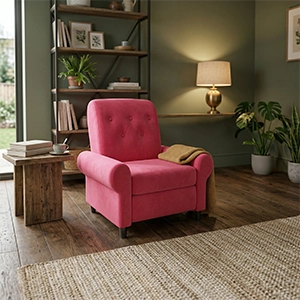
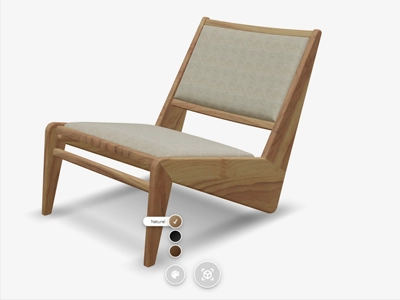
A 3D model without good lighting looks like it is floating above the page. Vulp lights every product with environment lighting and automatically adds a shadow beneath it, so the product stands on its surface rather than in front of it.
Contact shadows and ambient occlusion
Where the product meets the floor and where its parts touch, Vulp adds soft shadows and ambient occlusion. That gives depth to seams, cushions and edges, and lets the product sit naturally in its scene. There is nothing to set up.
Shadows to taste
Shadow too strong, or too subtle? Adjust it in the Vulp dashboard, or with the shadow-intensity and shadow-softness parameters in the embed code. They apply in the browser and in augmented reality.
Colours you can trust
Vulp uses tone mapping to the PBR Neutral standard, tuned for e-commerce. Colours and reflections stay as close as possible to the real product, instead of the oversaturated or washed-out tones 3D rendering often produces.
An environment of its own
With a skydome (skybox=1) the product stands in a realistic space, such as a living room or showroom, instead of on a plain background. On the Enterprise plan the lighting itself can be adjusted too, to set the right mood and bring out texture and finish.

Frequently asked questions
Does Vulp add realistic shadows to my 3D products?
Yes, Vulp automatically adds contact shadows and ambient occlusion, so products sit naturally in their surroundings with believable depth and detail, rather than looking like they're floating on the page.
Can I adjust the lighting and environment of my 3D product?
Yes, you can change the lighting of your 3D product to set the right mood and highlight specific details, and combine it with realistic environment shadowing so the product looks natural in any setting.