










Technical
Embed a 3D Viewer With One Line of Code
Add the 3D configurator to any website or webshop with a single line of code, or go further with our powerful API.
Availability
Basic
Premium
Enterprise
Key features
Everything you get
One line of code
Embed the configurator just like a YouTube video.
Standard HTML or API
Use the ready-made embed or drive it from your own code.
All devices & browsers
Works on desktop and mobile in every modern browser.

No extra software
Nothing to install for you or your customers.
Availability
Available in your plan
Basic
Included
 Included
Premium
Included
Enterprise
Included

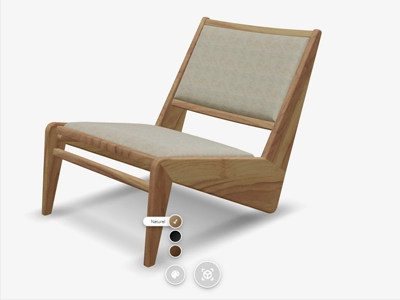
Integrate the 3D configurator into your webshop or website with just one line of code. Use our standard CSS and HTML or create your own design with our extensive API.
Vulp’s 3D configurator supports all modern browsers and devices. It works on both desktop and mobile without requiring additional software installation.
When to use what?
- Use standard HTML when you want to quickly and easily display the configurator without extra functionality
- Use the API when you:
- Want to control the configurator from your own code
- Need to respond to changes in the model
- Want to apply custom interface
- Need advanced integrations
Standard HTML
 <iframe
		src="https://vulp.studio/<customerId>/<modelId>/<lang>"
		allow="xr-spatial-tracking; fullscreen; web-share; clipboard-write"
		referrerpolicy="no-referrer-when-downgrade"
		width="600"
		height="400"
		frameBorder="0"
		title="vulp.studio"
	></iframe>
Example API Connection
// Import Vulp API
import('https://api.vulp.studio/v1/api.js')
	.then(async ({ VulpApi }: { VulpApi: VulpApiType }) => {
		// Initialize the API
		await VulpApi.initialize();

		// Register a Model
		const model = await VulpApi.registerModel(
			document.querySelector('iframe') as HTMLIFrameElement,
		);

		model
			.onReady(({ model, view, apiVersion }) => {
				// Model is ready to receive commands

				// Example sending commands
				const { activated } = await model.activateAr();

				// Example retrieving information
				const { model } = await model.getModelConfig();
			})
			.onModelUpdated(({ model }) => {
				console.log(model);
			});
	})
	.catch(err => {
		console.error(err);
	});

Frequently asked questions
How can I integrate the Vulp 3D Configurator into my website or webshop?
Integrating the Vulp 3D Configurator into your website or webshop is very simple. It works much like embedding a YouTube video. You just need to copy the code from our code generator and add it to your platform, whether it's WooCommerce, Shopify, Magento, or others. No coding skills are required.
Is the Vulp 3D Configurator user-friendly for non-technical users?
Yes, the Vulp 3D Configurator is designed to be user-friendly and intuitive. You don't need any technical skills to use it. The interface is straightforward, and extensive documentation and support are available to help you get the most out of the configurator.
Learn more: Documentation, API Reference and Support
Can I customize the viewer without writing code?
Yes, you can tailor the viewer through simple URL parameters, controlling colors, camera angles, buttons, hotspots and more, no coding skills required. For full control, our API is also available.
Learn more: Control the Viewer With Embed Parameters