







Look & Feel
Limit Camera Rotation to Control the View
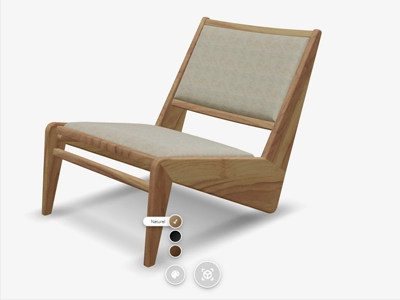
Control how users explore your virtual products by defining minimum and maximum camera angles, height limits, and viewing distances. Ensure optimal product presentation by restricting unnecessary camera movements.
Availability
Basic
Premium
Enterprise
Live demo
Key features
Everything you get
Limit rotation
Restrict left/right rotation so only relevant angles are shown.

Set min & max angles
Define height and angle limits for the camera.

Control zoom & distance
Set how close customers can get to the product.
Define the start view
Choose the camera's opening position for the best first impression.
Availability
Available in your plan
Basic
Included
 Included
Premium
Included
Enterprise
Included
In our viewer, you can restrict camera movements to create the optimal experience for your virtual products. Various parameters determine where the camera can go:
- Set minimum and maximum height
- Limit rotation angles left and right
- Define the distance to the product
- Choose a starting position for the camera
By cleverly using these settings, you ensure users always view your product from the best angle. For example, you can prevent them from looking underneath furniture or behind objects where no details are visible.
These camera settings help maintain focus on what’s truly important about your product while still providing enough freedom to explore it.

Frequently asked questions
Can I customize the look and feel of the 3D product viewer on my webshop?
Yes, you can customize the viewer's appearance to match your webshop's branding and design aesthetic for a cohesive customer experience.
Learn more: White-Label 3D Viewer That Matches Your Brand
Can I restrict how customers rotate or zoom the camera?
Yes, you can define minimum and maximum camera angles, height limits and viewing distances, so customers can only explore the product from the angles that present it best.