







Product options / configurations
Change Colours and Materials Per Component in 3D
Customize product colors with Vulp’s 3D configurator. Choose preset colors or add your own (RAL) colors per product component for a unique appearance.
Availability
Premium
Enterprise
Live demo
Key features
Everything you get
Adjustable colors per component
Change the color of any individual component of your product in real time.

Materials & textures
Go beyond color: apply realistic materials such as plastic, wood or leather.
Color groups & combinations
Show predefined combinations or give customers full freedom with separate color groups.

Custom (RAL) colors
Add your own brand or RAL colors for a perfect match with your product line.

Manage in the CMS
Add and experiment with colors in the CMS and showcase them instantly in 3D.
View in 360° & AR
Customers preview their chosen colors from every angle and in their own space.
Availability
Available in your plan
Basic
Not included
 Not included
Premium
Included
 Included
Enterprise
Included
Gallery
See it in action
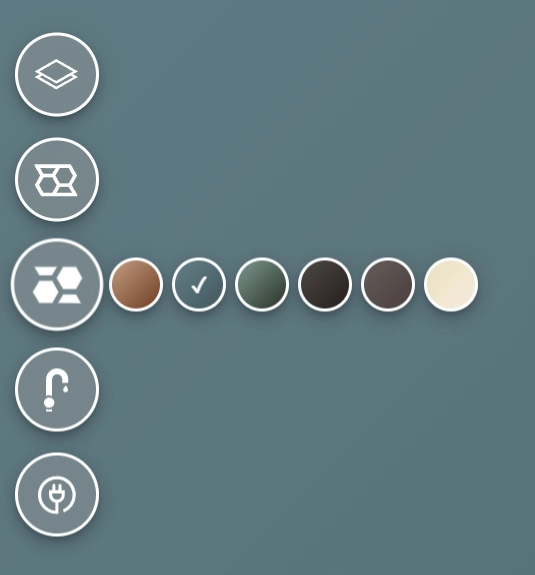
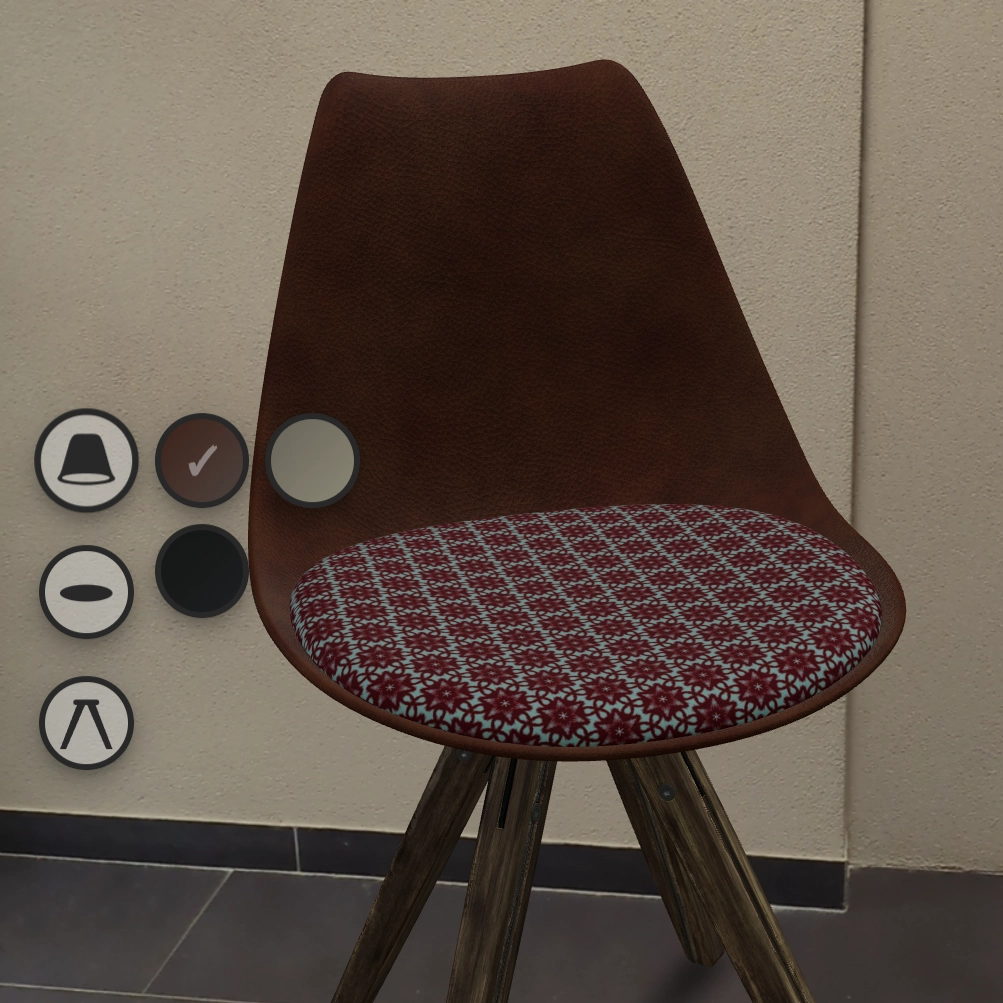
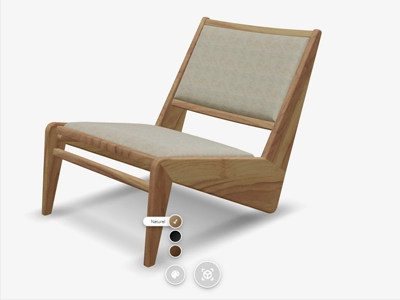
Vulp offers the possibility to change the color of components in a virtual product through our online 3D configurator. This adjustment can apply to both the color and the material or texture, such as plastic, wood, or leather. By utilizing the color options in the configurator, you can create a realistic virtual representation of your product.
A Personalized Product for Everyone
Additionally, it is possible not only to change the color of a single component but also multiple ones simultaneously. This allows you to display predefined color combinations to your customers or give them complete freedom through individual color groups. Through our Vulp viewer, customers can explore all possible options, making the product more personalized.
In our Content Management System (CMS), you can easily add colors to virtual products. Display the available color options, experiment with new colors, and showcase them directly in 3D to your customers. This enables you to save on development and production costs.
The available colors are visible in the Vulp viewer, where users can intuitively combine and view endless color options, making informed decisions for their purchase. This contributes to reducing returns in your online store.
Test the Colors in Your Own Environment

Thanks to the countless combination possibilities, customers can make well-informed decisions by viewing everything in 360 degrees or placing it in their own environment. The chosen color option can naturally be placed directly in their space via Augmented Reality, and on Android devices, even further customization of color combinations is possible.

Frequently asked questions
Can I change the color of a virtual product component?
You can change the color of a virtual product component using our online 3D configurator. This allows you to adjust both the color and the material or texture, such as plastic, wood, or leather, to create a realistic virtual representation of your product.
Is it possible to change the color of multiple components at once?
Yes, you can change the color of multiple components simultaneously. This feature lets you display predefined color combinations or give customers complete freedom to choose their own individual color groups.
Can customers view the available color options?
The available colors are visible in the Vulp viewer, where users can intuitively combine and view endless color options. This helps customers make informed decisions for their purchase, reducing returns in your online store.
Can customers test colors in their own environment?
Yes, customers can test colors in their own environment. Thanks to the countless combination possibilities, customers can view everything in 360 degrees or place it in their own space via Augmented Reality. On Android devices, even further customization of color combinations is possible.
Does the configurator support different materials and textures?
Yes, the configurator supports different materials and textures such as plastic, wood, and leather. This allows you to create a realistic virtual representation of your product with the desired material and texture.
How does using the Vulp viewer help reduce product returns?
The Vulp viewer allows users to intuitively combine and view endless color options, making well-informed decisions. By providing a realistic preview and the ability to test colors in their environment, customers are more satisfied with their purchase, which helps reduce product returns.